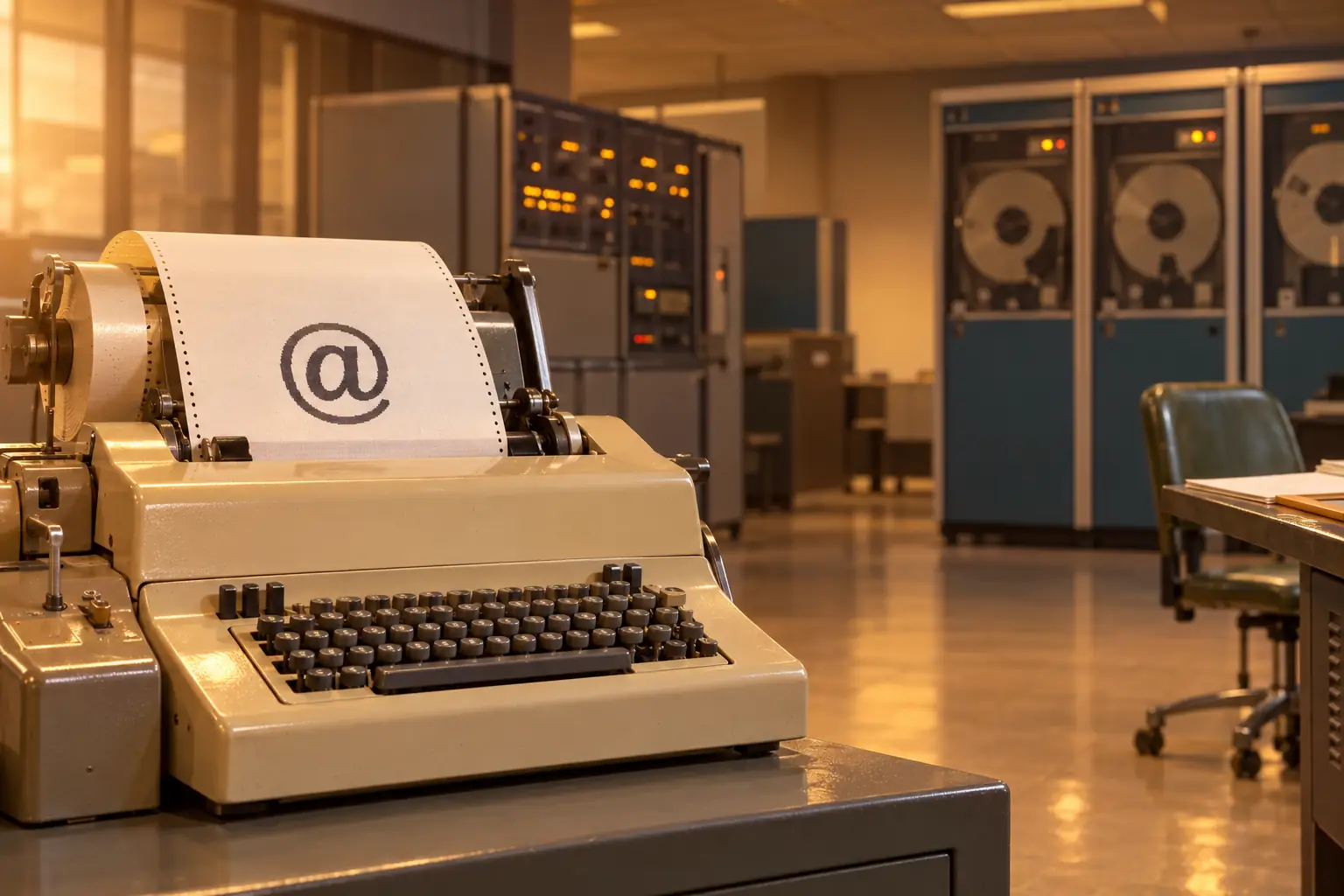
In 2010, New York’s Museum of Modern Art added a very odd item to its design collection. It was not a chair, a lamp, or even a computer. It was the @ sign.
Anyone with a keyboard could make another one. The museum was recognizing a design decision, not locking a rare object in a glass case. A small mark, once mostly useful for writing prices, had become one of the most familiar signs in digital life. MoMA’s 2010 announcement tells that part of the story.
But why does an email address need @ at all? Why not a dash, a slash, or a comma? The answer starts with a very practical problem in 1971: a computer needed to know which person should get a message, and which machine that person used.
People Sent Computer Mail Before Email Addresses Looked Like This
Electronic messages did not begin with Ray Tomlinson in 1971. During the 1960s, people could leave notes for other users of the same large computer. That was useful, but it came with a boundary. Everyone involved needed an account on that machine.
At MIT, Tom Van Vleck and Noel Morris wrote a program called MAIL for the Compatible Time-Sharing System, or CTSS, in 1965. A time-sharing computer served many people, often through terminals in different rooms or buildings. The program put a message in a file the recipient could read later. Nobody needed to sit at the terminal waiting for it to arrive.
Van Vleck’s firsthand history of CTSS mail records a wonderfully plain reason to build it. Staff needed a way to tell users that files had been restored from tape. Once the tool existed, people found other uses, including personal notes.
That system did not need to solve the problem that gave us @. It served users on one computer. Van Vleck later described the limit simply: they did not send between computers because they had only one computer.
A little piece of mail history
The 1965 CTSS MAIL program had no subject line. It also had no modern inbox full of buttons. A message went into a mailbox file, and users read it with existing system commands. The useful idea came before the friendly interface.
Two Computers, One New Address Problem
In 1971, Tomlinson worked at Bolt Beranek and Newman (BBN) in Cambridge, Massachusetts. His team worked with TENEX, an operating system used on Digital Equipment Corporation PDP-10 computers. BBN was also deeply involved with the ARPANET, the experimental network that helped lead to the Internet.
Tomlinson had a local mail program named SNDMSG. It let one user leave a message for another user of the same machine. He also had an experimental file-transfer program called CPYNET. The two tools suggested a neat possibility: what if a message could be added to a mailbox on another machine?
In Tomlinson’s own account, written years later and republished in 2016, the change sounds almost modest. CPYNET could transfer files, but it needed the ability to add text to the end of a remote mailbox file. He made that change and joined the file-transfer code to SNDMSG.
Now a person could send mail to a user beyond the local computer. But there was one more question. If the message said only SAM, which SAM should receive it? The local one? Someone signed in on a different host?
A name alone was not enough. A network address needed both parts.
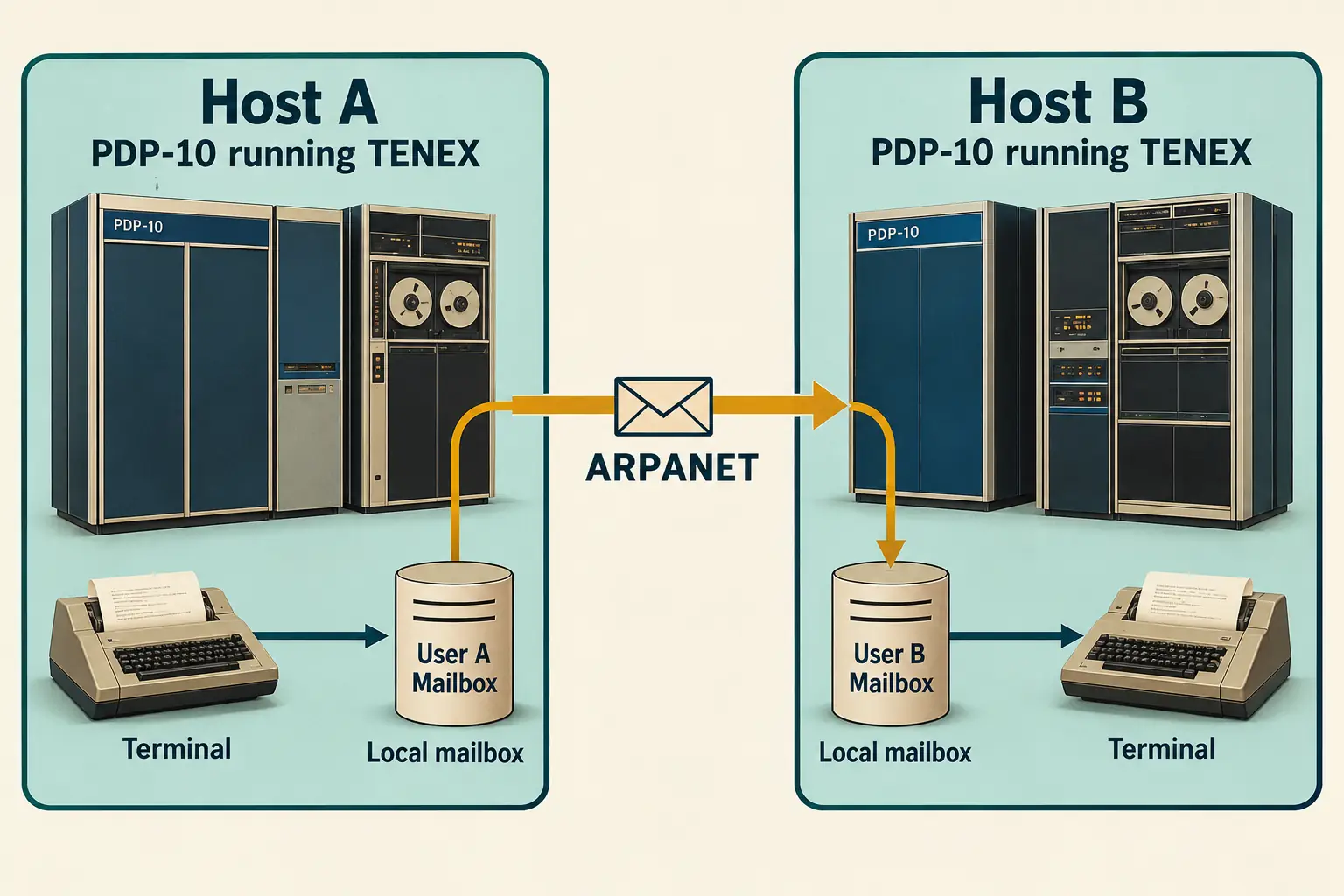
Tomlinson said his first test messages traveled between two computers standing side by side. Their connection was through the ARPANET. A message did not have to travel far across a room to prove that it could travel between different computers.
What did the first message say? There is no verified surviving text. Tomlinson recalled sending several tests, then forgetting their contents. He thought one might have been something like a row of keyboard letters. The famous claim that the first message was exactly QWERTYUIOP goes further than his memory supports.
After the tests worked, he told his coworkers how to use the new feature. His later account dates those tests to late 1971, with the network-mail version of SNDMSG included in a TENEX release in early 1972. The exact date of the first test is not securely recorded.
Why Did Tomlinson Pick @?
The decision had three useful parts. The sign was already on the keyboard. It was not normally part of a person’s login name. And, in English, it already suggested a location or relationship: a person at a place.
This was the address idea:
sam@hostb
Read it as “Sam at Host B.” The left part named the recipient on that machine. The right part identified the computer to contact. The @ sign marked the boundary clearly enough for a program to read it.
That last point mattered more than the symbol’s looks. In a 2010 interview with Alex Pasternack, Tomlinson explained that he wanted a form that software could split without fuss. Using one character that would not appear in login names made the job simple.
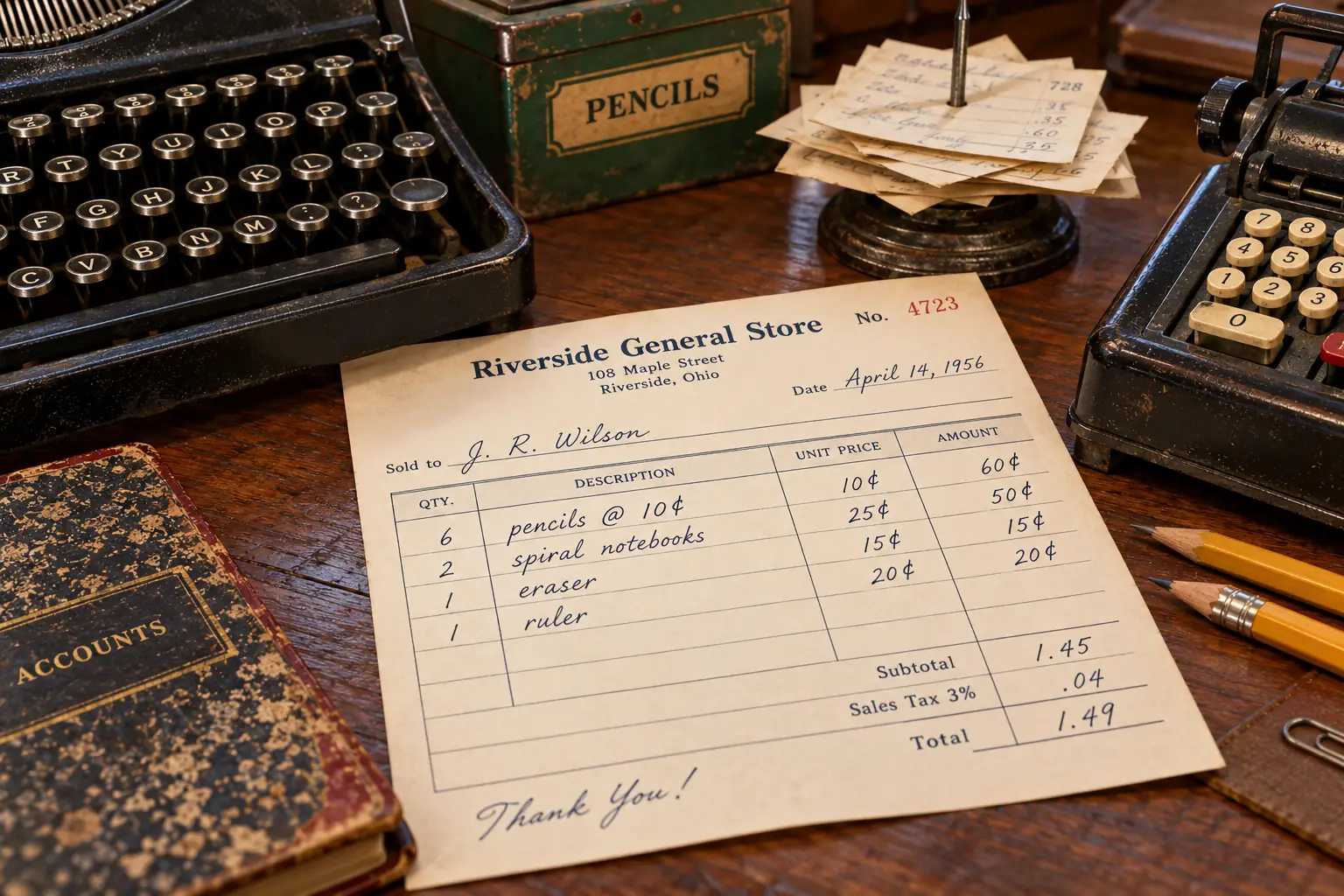
He had not invented the mark. Shopkeepers and bookkeepers had used @ in prices long before computers. A note such as 6 pencils @ 10¢ means six pencils at ten cents each. The sign was familiar enough to print on keyboards but quiet enough in computer names to do a new job.
The deeper history of @ is not fully settled. Scholars have offered different accounts of where its shape came from, including old writing and trade practices. MoMA’s historical note describes those competing theories. Tomlinson did not need to settle them. He needed a separator he could use that day.
Behind the Scenes: The elegant part was not decoration
Tomlinson’s reasoning was about making the software easy to write. In the 2010 interview, he said the symbol had to be simple to recognize and absent from normal user names. Its meaning, “at,” was a bonus with real value. The result was an address that people could read almost as easily as a machine could split.
There Was One Catch: Some Computers Hated @
The choice was handy on TENEX. It was less handy on another important system called Multics.
On Multics, @ had already been used as a line-erase character. Typing it could mean that the system should throw away what a person had typed on that line. That is a poor response when the person is trying to enter an email address.
Tom Van Vleck, who worked with Multics, records that users sending mail to other hosts could use a -at option instead. His early-mail recollections help show why the story is more interesting than “one clever symbol and everybody agreed.” People had to work around old keyboard and software habits.
This was an early lesson in making systems talk to each other. A character that looks harmless on one machine may have a special job on another. The @ sign won, but it did not win without friction.
Legend vs. the Record: Was @ the only possible choice?
The easy version: @ was obviously the perfect character, so Tomlinson had no real choice.
What the record shows: He had a small set of workable punctuation marks. He chose @ because it would be easy for the program to recognize and because “at” made sense to a reader. Multics then showed that even a sensible choice could conflict with another system.
What Does @ Actually Separate in an Email Address Today?
The old idea survives, but the right-hand side has changed. An address today usually names a mailbox at an Internet domain, not a specific big computer in one research lab.
Take this fictional address:
alex.chen@example.org
Left of @: alex.chen is the local part. It tells the receiving mail service which mailbox is meant. It might look like someone’s name, a team label such as support, or something else. The service responsible for the domain decides how to interpret it.
Right of @: example.org is the domain. It tells the mail system where to direct the message. Internet mail systems use domain information to find the servers that handle mail for that domain. The domain is not necessarily the name of one physical computer.
The @ itself: It separates those two jobs. It does not mean that the email must go to a person, and it does not prove the address belongs to a real person. It is the dividing mark in a standard address form.
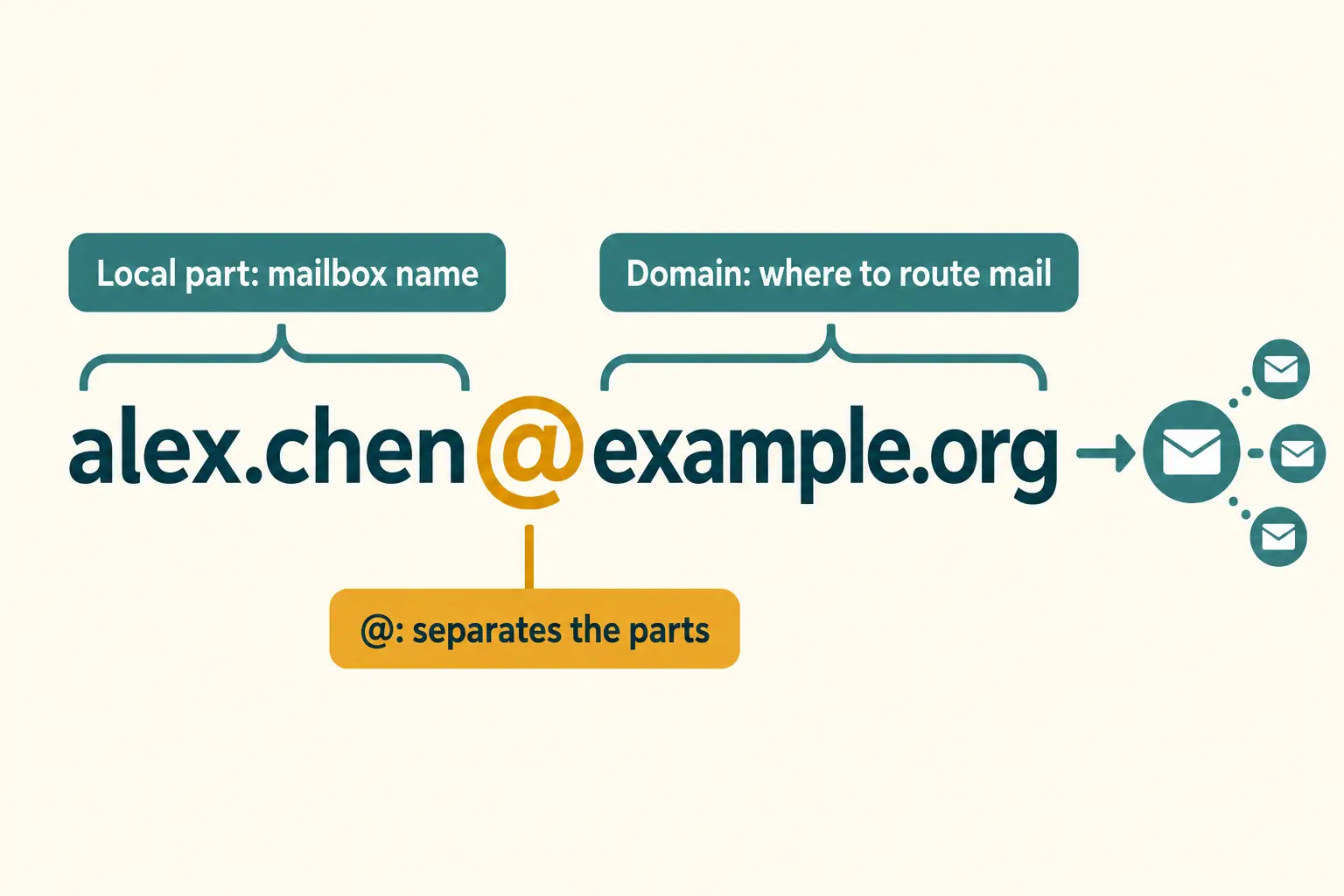
The wording is not just a modern teaching trick. The Internet’s RFC 5322 message standard defines the basic form as local-part "@" domain. Earlier rules, including the 1982 RFC 822 standard, used the same central division.
There are details that simple diagrams leave out. Some address forms allow quoted text on the left. A sender’s display name, such as Alex Chen, is separate from the address itself. And the rules for dots, plus signs, and letter case in the local part can depend on the mail service. None of those details changes what @ does: it separates the local mailbox identifier from the domain.
How Did a Practical Choice Become Permanent?
Network mail did not freeze in its 1971 form. Programs changed. More kinds of computers joined networks. Engineers had to agree on message headers, delivery methods, and address formats. A working trick in one lab was not yet an Internet-wide rule.
In September 1973, Tomlinson joined Abhay Bhushan, Ken Pogran, and Jim White in writing RFC 561 on mail headers. They were trying to make basic fields, such as the author, date, and subject, more consistent across systems. It is a good reminder that email grew through many people’s work, not one afternoon’s inspiration.
By the time RFC 822 was published in 1982, the form with a local name, @, and a domain was firmly part of formal message syntax. Later Internet mail rules kept that same simple break, even while routing and the names on the right grew more complex.
And the sign escaped email. You can type it in social posts to address or mention an account on many services. Those mentions are not email addresses, but they borrow the same idea: this name belongs at this place.
When MoMA celebrated @ in 2010, the museum was not honoring a new shape. It was honoring a clever reuse of an old one. A spare mark on a keyboard had made a new kind of address feel natural.
Tomlinson needed to answer a small engineering question: Which user, on which machine? Today we type the answer with hardly a thought. The @ is still doing the quiet work it was chosen to do.
Sources and Further Reading
- Ray Tomlinson’s account — his later first-person description of SNDMSG, CPYNET, the choice of @, and the forgotten test messages; republished by David Luckham in 2016.
- Tom Van Vleck’s history — a participant’s record of CTSS mail and the Multics conflict with @.
- Tomlinson’s 2010 interview — his account of picking punctuation that a program could parse.
- MoMA’s @ collection announcement — 2010 museum discussion of the symbol’s design significance.
- RFC 561 (1973) — an original effort to make network mail headers consistent.
- RFC 822 (1982) — the historic standard defining a local-part, @, and domain.
- RFC 5322 (2008) — the modern message-format explanation of what the at sign separates.