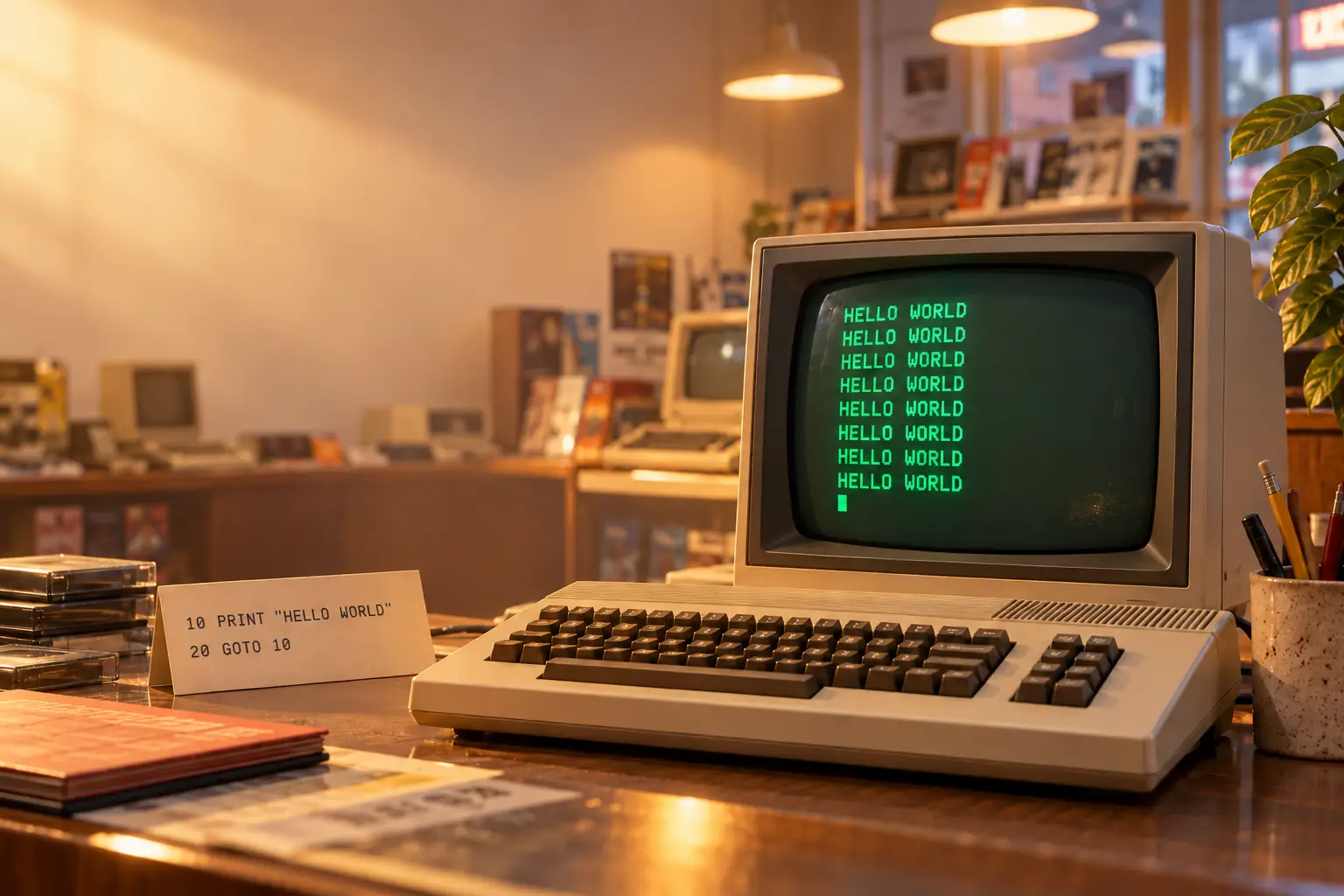
Picture a computer shop sometime in the early 1980s. A television-like screen glows beside a keyboard. Someone has left the machine ready for customers to try. A beginner walks up, types two lines, and presses RUN.
The screen replies:
HELLO WORLD
HELLO WORLD
HELLO WORLD
HELLO WORLD
HELLO WORLD
...
It keeps going. The beginner grins. The nearby adult may be less impressed. The computer, being a computer, offers no opinion at all.
This is an illustrative scene, not a report of one named shop or child. But the experience it captures was real enough: the thrill of getting a machine to follow your instructions, followed by the discovery that a machine can be very committed to a bad idea.
Here is the entire troublemaker:
10 PRINT "HELLO WORLD"
20 GOTO 10
Two lines. No graphics. No saving the world. And for many new programmers, more excitement than a hundred polished demonstrations.
Why Line 20 Won’t Let Go
BASIC was designed to let people write instructions without first becoming experts in the machine. The name stands for Beginner’s All-purpose Symbolic Instruction Code. It uses simple words, and these two lines show why that idea appealed to learners.
The 10 is a line number. It identifies where this instruction belongs in a numbered program. PRINT tells BASIC to display something. The quotation marks say that HELLO WORLD is text to show, not the name of a variable or an expression to calculate.
Next comes line 20. GOTO 10 tells the computer to jump back to line 10. After printing the message again, execution reaches line 20 again. Back it goes.
The cycle is simple: print the words → jump to line 10 → print the words again. It does not stop because the program contains no instruction that ends the cycle.
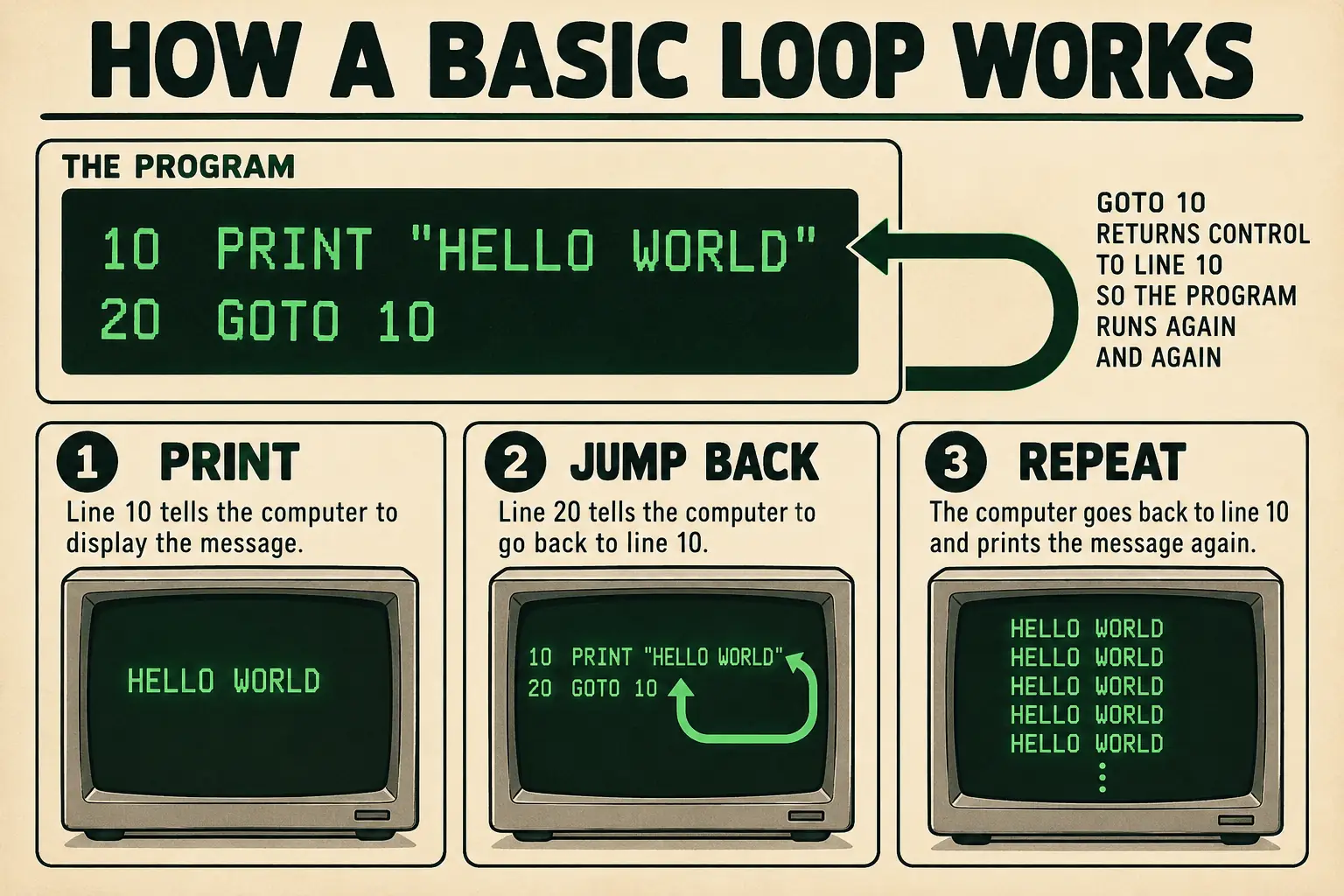
Why count by tens? Because programmers wanted room to add things later. Lines 10 and 20 left a space for line 15. A numbered BASIC editor could sort those instructions into line-number order. You did not need to renumber everything merely to squeeze in a new idea.
To make a shorter greeting, you can change the second line in a BASIC dialect that supports these statements:
10 PRINT "HELLO WORLD"
20 END
Now the message appears once, and the program ends. A more adventurous learner could add a counter or a test and make it repeat five times. But first came a more urgent lesson: How do I stop it?
That depended on the machine. Some BASIC systems had a STOP or BREAK key, while others used a key combination or an interrupt command. The program has no normal ending, but that does not make the computer unstoppable. Nor does it mean every old BASIC had exactly the same syntax, keyboard, or screen behavior.
And no, you do not need to unplug the television. Usually.
Before the Bedroom Computer, There Was a College Basement
The loop belongs to the home-computer memory box, but BASIC itself began well before most families could buy a computer.
At Dartmouth College in New Hampshire, mathematicians John G. Kemeny and Thomas E. Kurtz wanted more students to experience computing. Not only engineers. Not only people with access to a machine room. Students in many subjects should be able to try their own ideas.
That was a bold goal in the early 1960s. Main computers were expensive and shared. Work could involve preparing a job, sending it away for processing, and waiting for a result. Dartmouth’s plan joined a friendlier language with a time-sharing system: several terminals could take turns using one central computer so quickly that each person could work interactively.
Kemeny and Kurtz led the effort, but they did not build it alone. Undergraduate programmers helped create and maintain the Dartmouth Time-Sharing System. Students including Mike Busch and John McGeachie helped tackle the difficult computer-to-computer work. Dartmouth’s own archive makes the larger point clear: the students were builders, not merely people taking a class.
On May 1, 1964, at about 4 a.m., two teletypes successfully ran programs on the new system at the same time. Dartmouth’s computing timeline records the tiny test as:
10 PRINT 2+2
20 END
The result was 4. It was not our HELLO loop. There is no good reason to move the familiar greeting into that basement and claim it was the first program.
The other detail is almost comic. Dartmouth reports that the early system’s average time between failures was about five minutes. Imagine making interactive computing available to more people, then having five minutes to enjoy it before something went wrong.
And yet the idea worked. The important change was not the number 4 on a teletype. It was the person sitting at the terminal, able to give an instruction and see a response. Dartmouth’s 1960s timeline documents the first test and the fragile hardware; its library exhibit gives the student programmers their due.
In 1982, the Instruction Book Actually Encouraged This
There is a wonderful twist in this story. The endless greeting was not merely a prank that escaped from a school notebook. A major home-computer manufacturer used nearly the same example to teach beginners.
Open the 1982 Commodore 64 User’s Guide to its section on beginning BASIC programming. It asks the reader to enter a small program, press RUN, watch the display fill, and use the machine’s RUN/STOP key when the show has gone on long enough.
Its message was not HELLO WORLD. The example printed the words COMMODORE 64, then jumped back to repeat them. In other words, the official manual taught the same trick with different words.
That is a better historical clue than a vague claim that everybody learned the identical HELLO program. It shows precisely what one early-1980s owner could have been invited to try. The manual also explained line numbers, jumping, and why leaving gaps of ten made later edits easier. See the original guide, pages 32–33.
From the original record: A perfectly respectable infinite loop
Source: Commodore 64 User’s Guide, first edition, 1982, chapter “Beginning BASIC Programming,” pages 32–33. The example uses a repeated COMMODORE 64 message and teaches how to halt it. It is evidence for that machine’s lesson—not proof that every BASIC, or every beginner, used this exact exercise.
The joke almost writes itself: the manual told you how to start something that would never finish, then explained which key would rescue you. That is a remarkably complete first lesson in programming.
You learned sequence, repetition, and control. You also learned an uncomfortable truth: the machine is not responsible for deciding whether your idea is sensible.
When the Family Television Was Recruited Into Computer Science
By the late 1970s and through the 1980s, many home computers made BASIC readily available. Depending on the machine, it could appear at startup or be loaded for use. Apple II owners, TRS-80 users, Commodore families, and people with Sinclair machines met different keyboards and dialects, but they could all encounter the same kind of invitation: type an instruction and see what happens.
Often the computer used the household television for a display. This created a small family problem. The program might be fascinating to the person typing it and deeply uninteresting to everyone waiting for the evening news.
A beginner could turn a screen into a message board before knowing how to make a game. Change HELLO WORLD to a name, a joke, or a declaration that the household pet was in charge. Press RUN. Watch your words spread down the display.
It felt personal. Until then, the screen had shown things written by someone else. Now it showed your choice of words, as many times as you cared to watch.
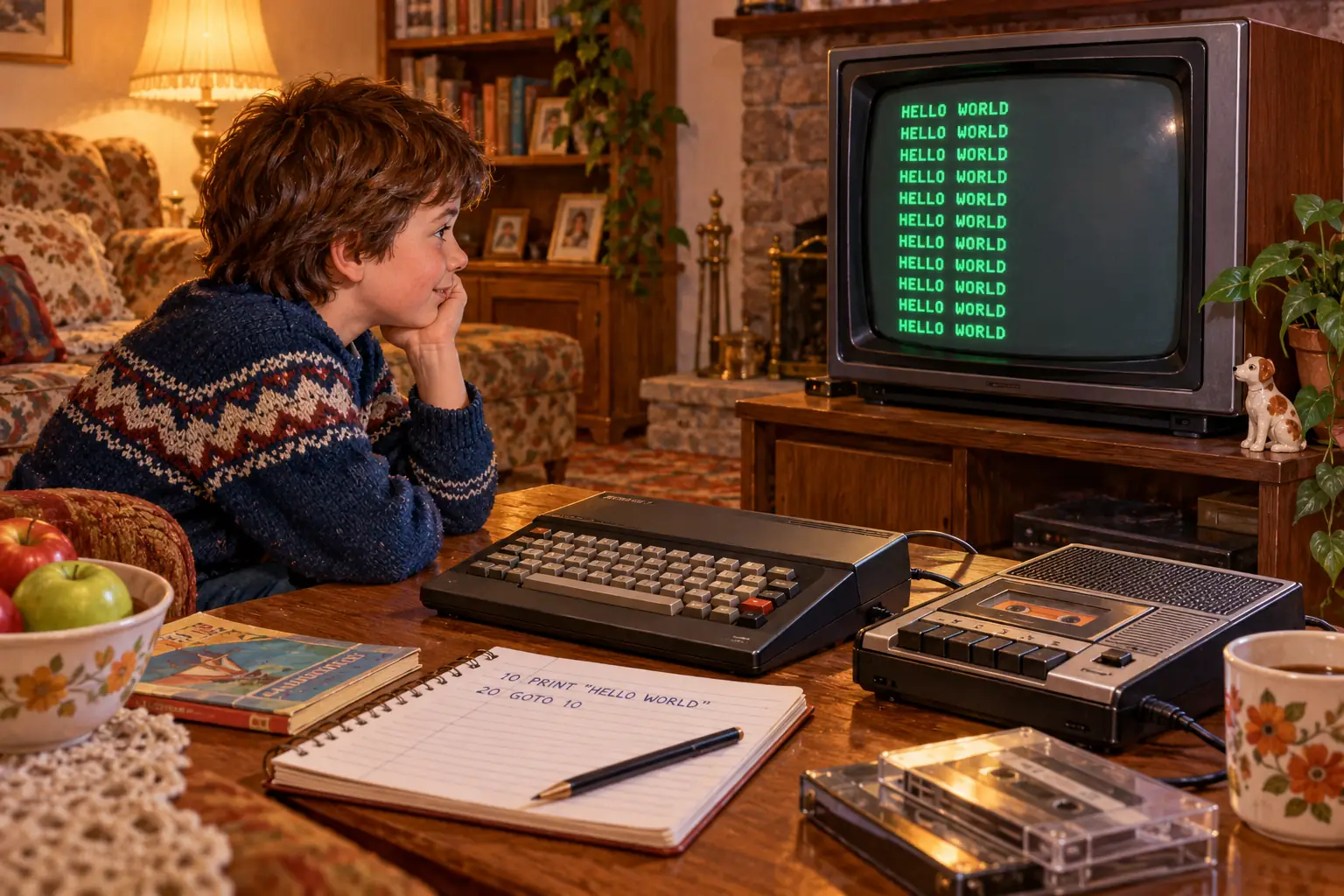
Of course, some first programs did not run. There was the missing closing quotation mark. The wrong line number. The letter O typed where a zero belonged. A command remembered from a friend’s different computer that this one did not understand.
The machine might answer with a syntax error, or it might do something odd and force you to look again. In modern language, that was debugging: finding out why the instructions did not do what you expected. Sometimes the problem was one key. Sometimes the problem was the expectation.
Computer magazines turned this kind of patience into a hobby. Readers copied program listings by hand, line after line, into a computer with limited memory. A printed game might take an evening to enter. If it failed, you compared your typed version with the page, searching for one stubborn character.
And if your computer saved programs to cassette, the work might need to be recorded as a stream of audio signals on tape. Saving and loading could be slow and fussy. Suddenly, a two-line loop looked wonderfully dependable: it took almost no time to type again.
There was a lovely progression here. First, make the screen say something. Next, make it say something twice. Then make it say something different, choose between two answers, play a sound, or react to a key. One small success gave permission to try a slightly larger failure.
The Department-Store Greeting Committee
Now put that beginner in a computer department. There is a display machine. Its keyboard is within reach. The staff hope it will show shoppers something impressive.
The visitor has other plans.
An endless PRINT/GOTO program can fill a demonstration screen with a message that has absolutely nothing to do with the computer’s advertised features. There is no need to know how the operating system works. Two numbered lines can turn the machine into an unusually obedient sign.
In a 2018 retrospective, Paleotronic recalled department-store BASIC mischief, including repeating messages typed into public display computers. These are later memories of a computing culture, not a census of mischievous shoppers and not a verified account of one particular store.
But the appeal is easy to understand. The computer was something impressive that adults discussed in serious voices. A few characters at the keyboard were enough to change what everyone saw.
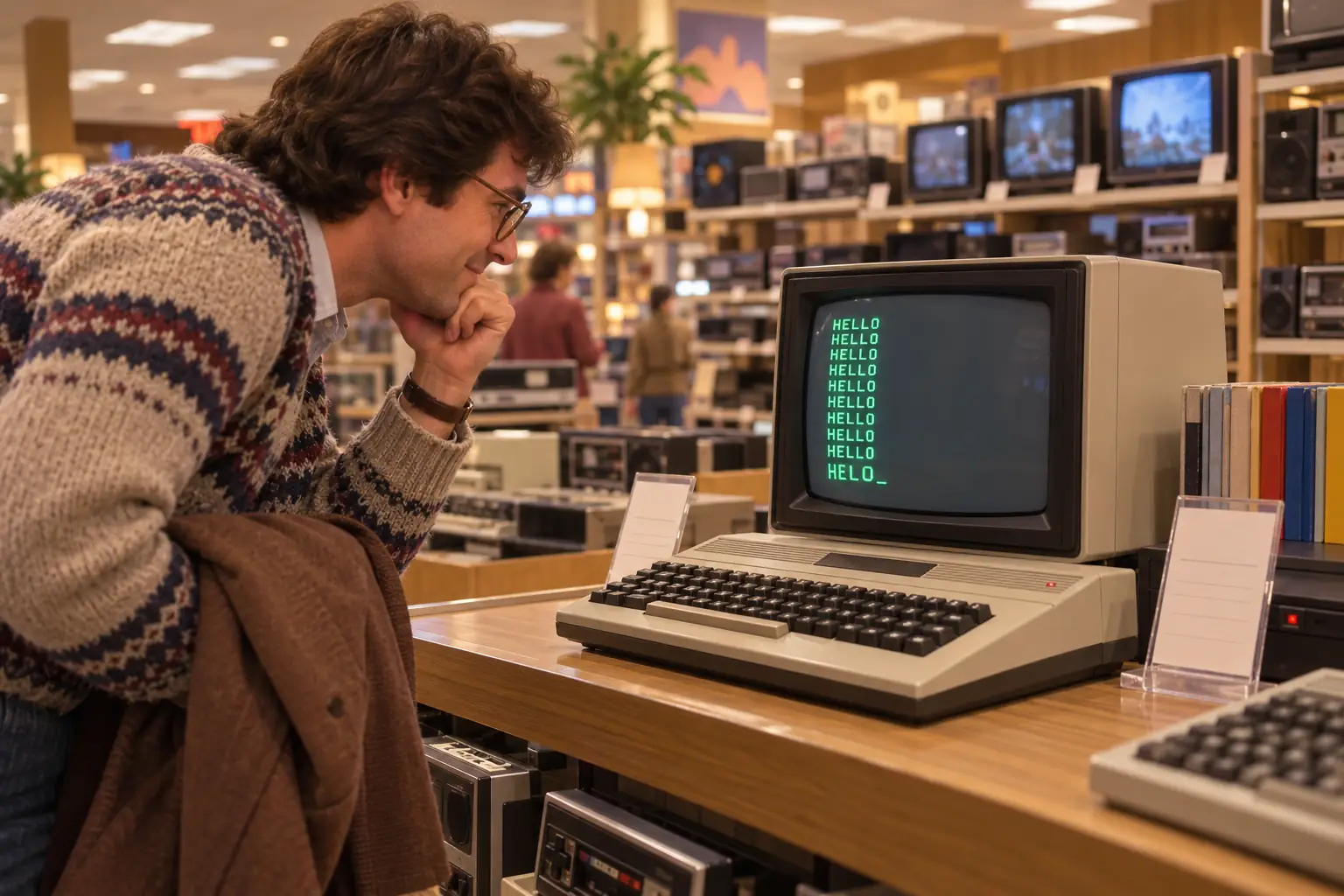
An imagined moment at the demonstration counter
The display has now greeted the entire electrical department. The visitor tries to act as though this were the intended demonstration. Somewhere, an employee begins looking for the key that means enough.
This is a fictional composite, not a real conversation or eyewitness report.
A loop could be harmless fun, rude behavior, or a little of both, depending on what it printed and whose machine it interrupted. The lasting lesson was not that store staff deserved trouble. It was that programming gave ordinary people a new kind of control, even when they had no idea how to use it wisely yet.
When GOTO Stopped Being Cute
Line 20 deserves a fair hearing. It is wonderfully clear in a first lesson: go back to line 10. What could be simpler?
In a large program, though, lots of jumps could create a snarl. One instruction sent the computer to line 400. Another jumped back to 75. A later change accidentally skipped something vital. Following the program felt less like reading a recipe and more like chasing a lost suitcase through an airport.
In 1968, computer scientist Edsger W. Dijkstra argued that careless use of GOTO made programs harder to understand and check. His short text, Go To Statement Considered Harmful, appeared in Communications of the ACM. His complaint was not that printing HELLO was an offense. It was about being able to reason clearly about what larger programs do. The publication record is preserved by the Dutch research institute CWI.
Then there is a real behind-the-scenes surprise.
Behind the Scenes: The famous title was not Dijkstra’s
In a 2001 retrospective, Dijkstra said he had submitted the piece as A Case Against the Goto Statement. Editor Niklaus Wirth changed its form and gave it the punchier published title. Dijkstra also observed, with some irritation, that people sometimes knew the headline better than the argument. Read Dijkstra’s own account.
That headline became far more famous than most computer-science paper titles. But there is no contradiction between teaching a beginner with GOTO and asking a professional to organize a large program more carefully.
Modern languages offer clearer ways to express common loops. They also still offer ways for a program to branch. The lesson was never simply “jumping is evil.” It was to make the program understandable—not only to a machine that will execute it, but to the human who must fix it next Tuesday.
The Other Legendary 10 PRINT Program
There is another old BASIC celebrity with the same opening number, and it is important not to mix them up.
On the Commodore 64, this compact program makes a stream of randomly chosen diagonal characters:
10 PRINT CHR$(205.5+RND(1)); : GOTO 10The characters form a growing maze-like pattern. The result depends on the Commodore 64’s BASIC behavior and PETSCII character set. It is not the same as printing HELLO WORLD, and you cannot assume it will look the same on another computer.
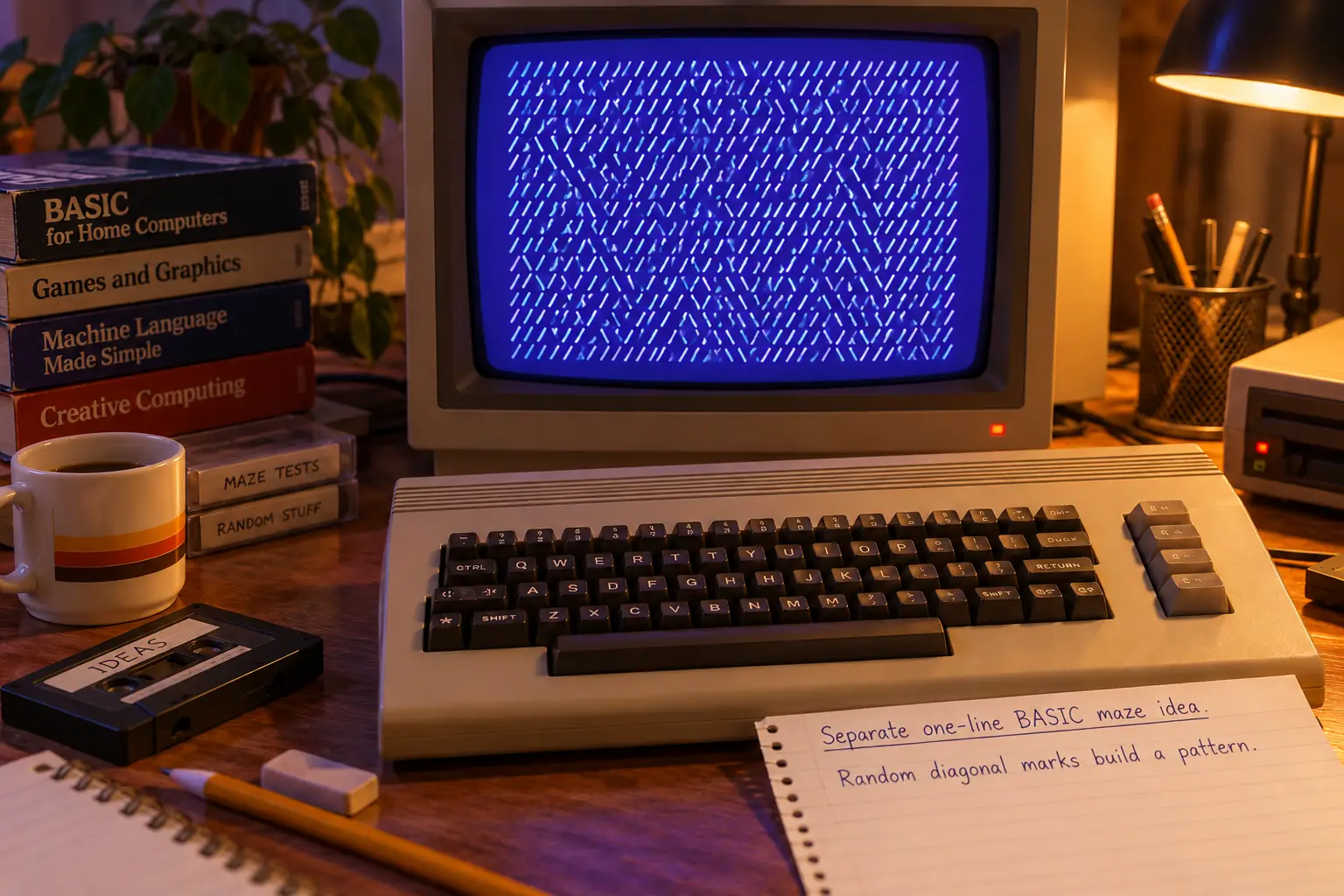
In 2012, ten collaborators published a 328-page MIT Press book called 10 PRINT CHR$(205.5+RND(1)); : GOTO 10. It uses that one small program to examine art, chance, hardware, and the culture of code. Yes: hundreds of pages about one line. If you ever felt foolish spending half an hour experimenting with two commands, you were in distinguished company. MIT Press lists the book and its authors.
The HELLO loop and the maze do different things, but they share the same invitation. Take a very short instruction. Let the machine repeat it. Watch a result grow far beyond the size of the program.
The Lesson That Never Quite Ends
Today, many people meet computers through ready-made apps. The software beneath the screen can be hard to see. Yet programming remains available in countless languages, small coding projects, browsers, and classroom tools. The old invitation has not vanished; it has simply changed its address.
What made the two-line loop special was never its practical output. Nobody needed a wall of greetings. It mattered because the beginner could point to the screen and say, with complete accuracy, “I told it to do that.”
The next lessons arrived immediately. What happens when I change the message? What if I jump somewhere else? What if the quotation mark is missing? What if I want the loop to stop after five greetings? A machine that first seemed mysterious was suddenly available for experiments.
And that is why the little program can still be worth teaching. You meet sequence, text, repetition, control flow, errors, and interruption without needing a large project first. You also learn that the computer’s patience is not the same as judgment.
Try changing the words in a suitable BASIC emulator or safe learning tool. Run a finite version first. Then try a loop, and find its stop control before you press RUN. Your future self will appreciate the planning.
For a moment, though, forget the theory. Remember a blinking cursor and a screen that had never shown your words before.
The first line told the computer to say hello. The second proved that you could make it listen.
Learning when to let it say goodbye? That was the beginning of the rest of programming.
Sources and Further Reading
- Commodore 64 User’s Guide, 1982, pages 32–33 — an original introductory PRINT/GOTO exercise and the RUN/STOP instruction.
- Dartmouth College computing timeline — the May 1, 1964 test code and early system reliability.
- Dartmouth Library’s DTSS people exhibit — student contributions and the limits of the familiar launch-night account.
- Dartmouth’s BASIC anniversary reporting — named undergraduate contributors and project memories.
- Paleotronic, “Department Store BASIC” (2018) — later recollections of public demonstration machines, not a systematic study.
- CWI’s Dijkstra publication record (1968) — original essay details and journal citation.
- Dijkstra’s retrospective EWD1308 (2001) — his firsthand account of the changed title.
- MIT Press, 10 PRINT CHR$(205.5+RND(1)); : GOTO 10 — the separate maze program and 2012 book.