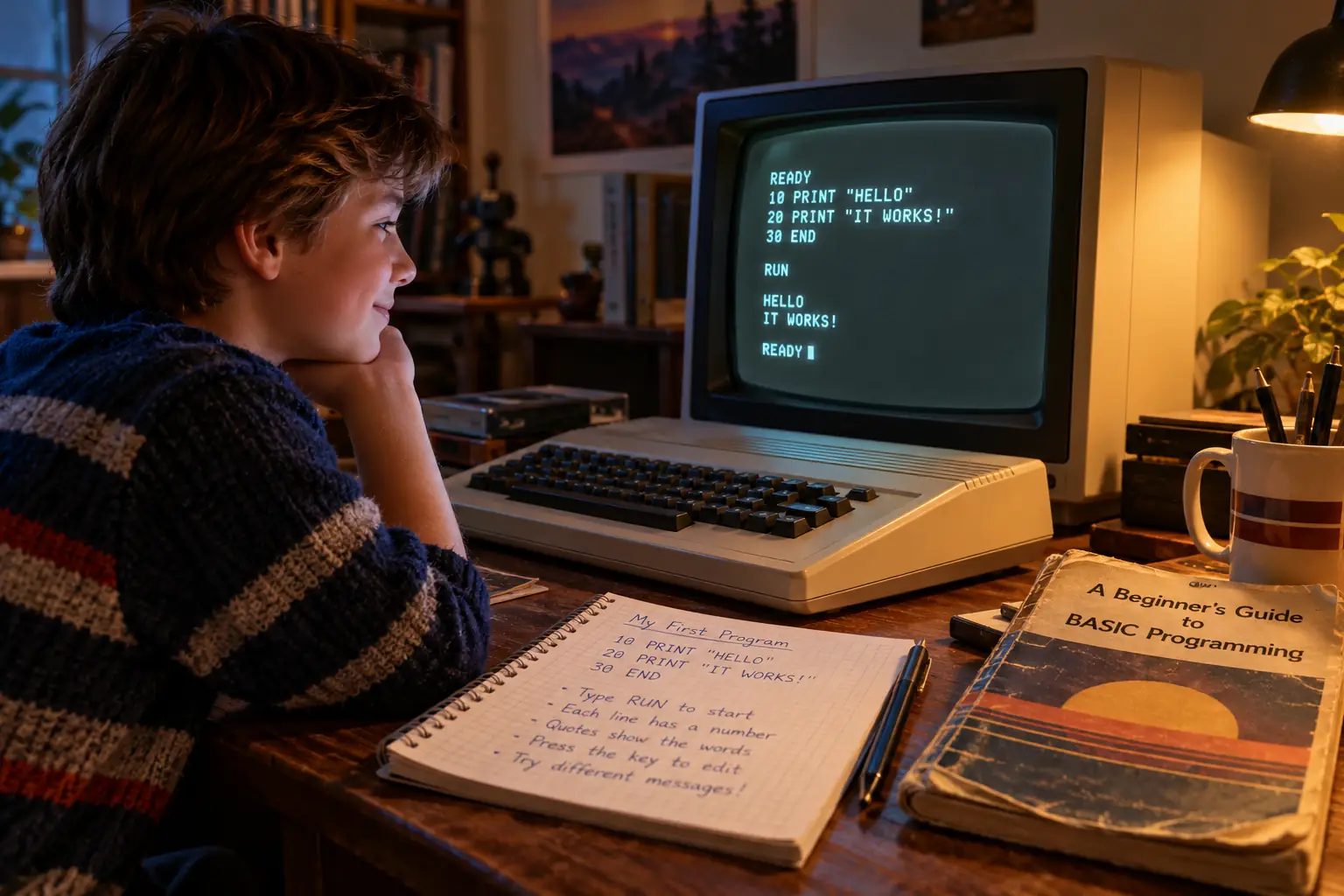
Here are two lines that could make an early home computer fill its screen with the same word:
10 PRINT "HELLO"
20 GOTO 10
Type RUN, press Return, and the machine keeps saying hello. The first line prints a word. The second sends the computer back to the first. You have made a loop. You have also made a small problem for yourself: now you need to learn how to stop it.
That was part of BASIC’s charm. A beginner could make something happen, break it, and learn why, all in one sitting. The commands looked like English. The screen answered back. In many homes, there was no special programming package to buy before you could begin.
BASIC stood for Beginner’s All-purpose Symbolic Instruction Code. It was born at an American college in 1964, long before the home computers most people link with it. By the early 1980s it had become the language of countless first attempts: a name on the screen, a guess-the-number game, a budget calculator, or an ambitious game that never quite worked.
A language for people who weren’t computer experts
In the early 1960s, a computer was usually something you visited, not something you took home. Users might hand work to an operator and get results later. Computers were costly, and writing programs could demand a great deal of training.
At Dartmouth College in New Hampshire, mathematics professors John G. Kemeny and Thomas E. Kurtz wanted a different deal. Students outside science and engineering should be able to use the computer too. That meant giving them both access to a machine and a language they could learn without a long course.
They worked with Dartmouth undergraduates on the Dartmouth Time-Sharing System. Several people could sit at separate terminals while one central computer served them in turn. A terminal was mainly a keyboard and a printer, not a complete computer in its own right. The system handled the expensive machinery behind the scenes.
On May 1, 1964, Dartmouth’s time-sharing system and BASIC reached their famous early milestone. But the tidy story about exactly who typed RUN at 4 a.m. needs care. The college’s 50th-anniversary history says Kemeny and a student did it on nearby terminals. A later Dartmouth Libraries exhibit calls the scene a legend and says neither Kemeny nor Kurtz remembered being there. The date and achievement are well documented; the cast in the room is less certain.
Behind the Scenes: The first manual had only a few pages to win you over
The surviving May 1964 BASIC instruction manual is an unusually direct window into the plan. Its opening page says the language should be easy to learn, quick to turn into machine instructions, useful beyond a single school subject, and a stepping-stone toward languages such as FORTRAN and ALGOL.
It then offers an almost comically modest sample: set a variable to (7+8)/3, print it, and end the program. The answer is 5. There are no fireworks. The point is that a newcomer can understand the entire job.
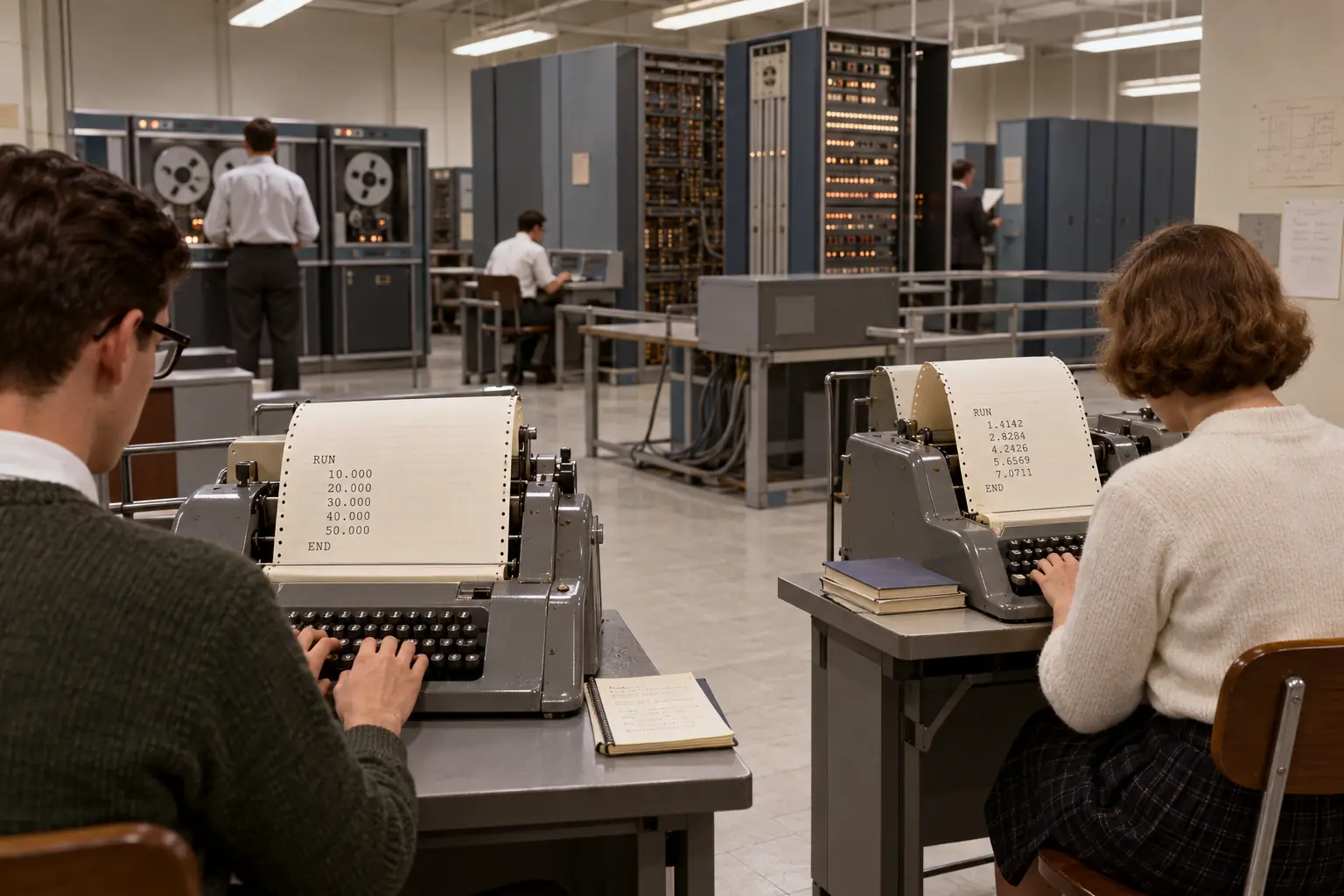
There is a twist that gets lost in the usual home-computer story. The early Dartmouth system could compile BASIC, turning the program into machine instructions before running it. Its designers wanted that work done quickly because many people were sharing the computer. Later home computers often came with a BASIC interpreter, software that read and carried out instructions as a program ran. BASIC is the language; a compiler or interpreter is the tool that runs it. They are related, not the same thing.
And the founders did not work alone. Dartmouth’s own history records the large part played by student programmers. It also records something revealing: students were trusted to help build the system other students would use. BASIC’s story began as much with access and education as with a clever set of commands.
Why BASIC greeted so many home users
A decade later, small computer kits brought a new problem. Their owners could build or buy the hardware, yet still needed software that made the machines worth using.
In 1975, Bill Gates and Paul Allen, working with Monte Davidoff, developed a BASIC interpreter for the MITS Altair 8800. The Altair had made a splash among hobbyists, but its switches and lights were a long way from the easy home machines of the next decade. BASIC gave owners a way to write useful instructions without doing every step in machine code.
The Computer History Museum describes how Gates and Allen worked without an Altair on their desk, testing their software on a larger DEC computer with a simulator. The interpreter became the first product of the business that grew into Microsoft. It was a commercial version of an already existing language—not the invention of BASIC itself.
By the late 1970s and early 1980s, many machines sold for the home or classroom had a BASIC system built into ROM, the permanent memory inside the computer. Turn on a Commodore 64, for example, and its familiar READY. prompt invited you to enter a command. On other machines you might see a different prompt, a menu, or a boot process first.
This was a practical business choice. A maker could sell a computer with a working language already inside it. A family did not have to purchase a separate compiler just to try programming. A school could teach the same basic ideas to a room of beginners, even when the machines were small and memory was tight.
Still, not every computer opened straight into BASIC. Different models, operating systems, disks, and upgrades changed what appeared at startup. And machines that did offer BASIC did not always share the same commands. The widespread presence of BASIC was real; the idea that one identical BASIC ruled every keyboard was not.
A real beginner’s program, line by line
What could you actually do with that cursor? Start with an immediate instruction. On a Commodore 64 or many other classic interpreters, type:
PRINT 2+2The computer prints 4. No file. No project folder. No button marked Build. In this immediate mode, the command is done as soon as you press Return. This is a home-interpreter example, not a claim about the original Dartmouth terminal workflow.
For something you can run again, you give the lines numbers. Here is a small text program in a widely shared style of 1980s BASIC:
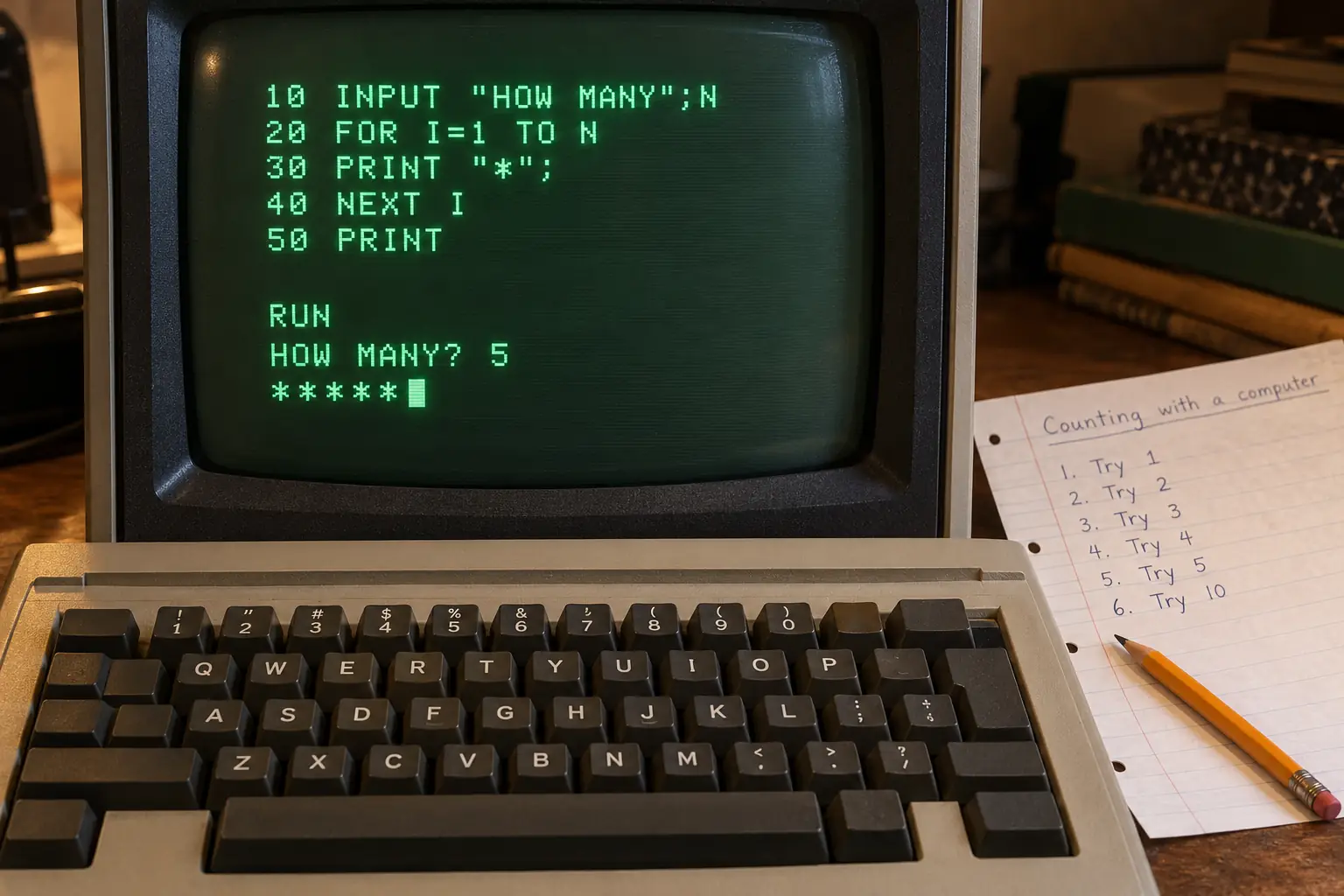
10 PRINT "HOW MANY STARS?"
20 INPUT N
30 FOR I=1 TO N
40 PRINT "*";
50 NEXT I
60 PRINT
70 END
After entering the lines, type RUN. When it asks how many stars, enter 5. On a compatible BASIC, the screen shows five stars together:
*****That is already a small conversation between human and machine. You gave it a number, and it used the number to decide how many times to print a character.
What each line does
PRINT writes something on the screen. INPUT N waits for a number and remembers it under the name N. The words FOR and NEXT repeat the print instruction, once for each star. The semicolon after "*" commonly keeps the next star on the same line. The empty PRINT moves to a new line, and END stops.
For this first lesson, enter a positive whole number, such as 3, 5, or 10. The program does not check for a bad answer. That would make a useful second lesson.
Line numbers tell the system where the instructions belong. That is why beginners often counted by tens: 10, 20, 30. Need to add another step between 20 and 30? Use line 25. On many home BASICs, typing a new line with an existing number replaced that old line. LIST showed the program you had stored in memory; RUN started it.
The program is deliberately plain. It uses common commands, but it is not guaranteed to run without changes on every dialect. On the ZX Spectrum, for instance, command words were often entered through special key actions rather than typed letter by letter. Some systems handled screen spacing, prompts, or numeric input differently. That is precisely why a printed program written for one machine could puzzle the owner of another.
Remember this?
You entered a line, hit Return, and nothing exciting appeared. That was normal: you had just stored an instruction. The magic came after RUN. When the result was wrong, you typed LIST, stared at the line numbers, and found the problem—or found that you had created three new ones while fixing the first.
Why your friend’s BASIC was different
The most important word in “home-computer BASIC” may be home-computer. Each maker had its own screen, keyboard, sound chip, memory map, and ideas about what programmers needed. BASIC implementations grew around those limits and features.
Commodore 64: easy words, awkward special tricks
The Commodore 64 included Commodore BASIC V2. It was ready for arithmetic, questions, text, loops, and plenty of games written with clever tricks. But the C64 had rich graphics and sound hardware that BASIC V2 did not expose through friendly built-in drawing and music commands. Programmers often used POKE to place a number directly in a memory location, or PEEK to read one. Those numbers were tied to the C64’s hardware. Copying them onto another machine was not a universal graphics lesson.
The original Commodore 64 user guide even teaches a tiny PRINT and GOTO loop. The official manual was inviting newcomers to make the computer repeat itself before they had built anything grand.
Apple II: two important BASIC families on one platform
Early Apple II computers had Integer BASIC, linked with Steve Wozniak’s work. Later Apple II systems widely used Applesoft BASIC, a Microsoft-developed dialect with floating-point calculations. The difference was not a cosmetic name change. Applesoft also offered commands such as HGR and HPLOT for high-resolution drawing. An Integer BASIC program and an Applesoft BASIC program were not always interchangeable. Apple’s programming reference manual devoted an appendix to their differences.
Sinclair ZX Spectrum: the keyboard was part of the lesson
On Britain’s ZX Spectrum, common BASIC keywords were printed on the keys. At the start of a command, pressing the right key could enter an entire word such as PRINT. That saved typing but made the keyboard a puzzle of its own. Sinclair BASIC also had its own drawing and sound commands, such as PLOT, DRAW, and BEEP. Steven Vickers’s ZX Spectrum BASIC Programming manual treats the keyboard as one of the first things a new user needs to learn.
BBC Micro and MSX: BASIC could grow in different directions
The BBC Micro, closely tied to British computer education, included BBC BASIC. It offered commands for graphics and sound and, notably, named procedures with DEF PROC. That gave users a way to organize larger programs without leaning only on jumps between line numbers.
MSX home computers, found in several markets including Japan and parts of Europe and Latin America, used MSX-BASIC. Its extensions matched the MSX machines’ graphics, sound, and other hardware features. A community-maintained MSX reference documents the versions and their added commands.
Legend vs. the Record: “BASIC was the same everywhere”
The familiar memory: Nearly every home computer spoke BASIC, so a BASIC listing should run on any of them.
What the manuals show: Many machines did share commands like PRINT, IF, FOR, and GOTO. But graphics, sound, strings, file handling, keyboard input, and even how you typed a keyword could vary a great deal. “Written in BASIC” did not mean “portable to every BASIC.”
The distinction mattered in practice. A text program might travel between machines with small edits. A colorful game built around one machine’s sound chip or special screen memory might need major work. BASIC made first steps easier; it did not erase hardware differences.
The joy and misery of typing it all in
Learning BASIC was not always a neat classroom task. It could begin with the little manual in a computer box, a borrowed book, a friend’s notebook, or a program printed in a magazine.
A “type-in” program was exactly what it sounds like. A magazine printed lines of code. You entered them, sometimes for hours. If the listing was long, you hoped the result was worth the effort. If it did not work, the first suspect was not the magazine’s author. It was your own fingers.
Typing a game was also a quiet way of reading one. You saw the score grow through a variable, the program jump to a new part after a choice, and the screen change because a line told it to change. You could replace a name, make a character faster, or increase a number just to see what happened.
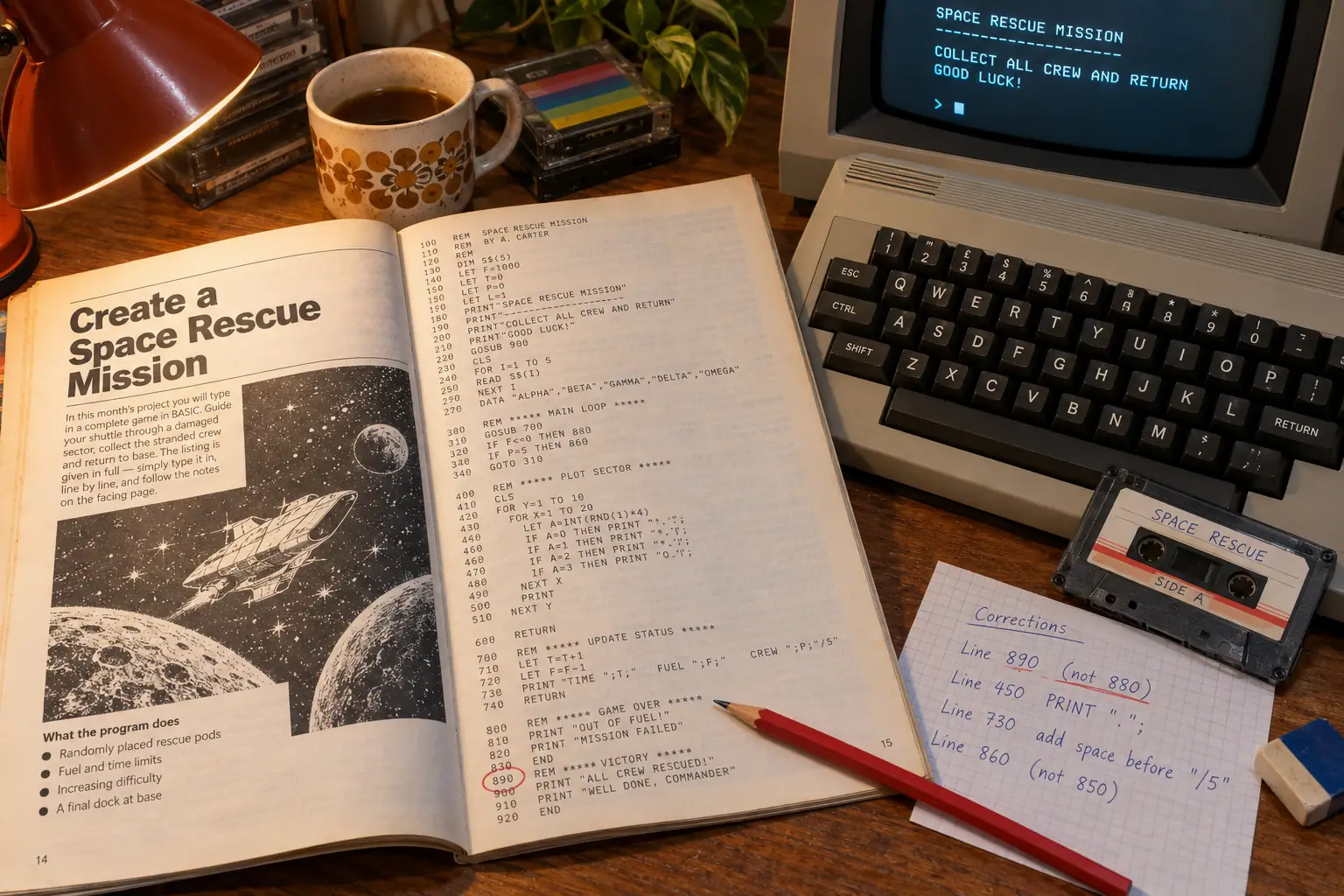
The errors were real work. Miss a semicolon and the display might change. Mistype a line number and a jump might go nowhere useful. Enter the wrong address after POKE and the machine could behave in ways the lesson did not intend. When memory was scarce, programmers squeezed several commands onto one line and made debugging harder for the next person—often themselves.
Magazines tried to help. Publications such as COMPUTE! and COMPUTE!’s Gazette offered checking tools that helped readers catch bad entries. It says a great deal about the time that people sometimes had to type in an error-checking program before they could safely type in the program they actually wanted.
Saving also mattered. Many families used cassette tape for program storage; others had floppy disk drives. The words SAVE and LOAD were familiar, but the exact command format depended on the machine and device. A program left only in working memory could vanish when the power went off. This made finishing and saving a small victory of its own.
Schools benefited from BASIC’s low barrier to entry, but hardware and access still cost money. Not every student had a machine at home, and not every school had enough computers for a whole class. Dartmouth’s original ideal was broad access, not proof that access had become equal.
What became of BASIC?
BASIC did not simply disappear when computers became more powerful. It changed shape. On DOS PCs, Microsoft’s GW-BASIC kept the numbered-line tradition familiar. Later QuickBASIC and QBasic offered a fuller editing environment and supported programs written without line numbers on every statement. The editor and language worked together, but they were not the same thing: one helped you write, while the other defined what the instructions meant.
Visual Basic took the name in another direction, toward building Windows programs with forms, buttons, and events. Meanwhile, Kemeny and Kurtz took part in creating True BASIC in the 1980s, seeking a more consistent language for education. The family became too wide for one program listing to describe it all.
These changes also show why old BASIC attracts criticism. Line numbers and GOTO could make a large program hard to follow. Small interpreters could be slow, and each home computer had its own limits. But those same short commands let a newcomer start before learning how to plan a large software project. A tool for the first hour of learning does not have to look like the tool for a professional’s tenth year.
As of October 2026, BASIC is still something a curious reader can explore. QB64 Phoenix Edition is one modern project aimed at programs and habits from the QBasic and QuickBASIC world. It is not a promise that every program from a Commodore, Spectrum, or Apple II will work there without changes. For machine-specific BASIC, the original manuals and a properly configured vintage system or emulator remain important.
The deeper change is harder to measure. In today’s software, it is easy to be a user all day without ever seeing a line of code. BASIC put the code in front of you. On many 1980s computers, the same screen that ran games could also be asked to print your name, work out a sum, or count five stars. You did not need permission from an app store or a separate development kit.
Those two lines from the opening are crude, and after a while they are annoying. But they contain the whole invitation. You can tell the machine what to do. If you do not like what happens, you can change line 20. A great many programmers began with that discovery.
Sources and further reading
- Dartmouth BASIC Instruction Manual, May 1964 — a first-draft primary document, reprinted with a note by Thomas Kurtz, showing the language’s early aims and examples.
- Dartmouth Libraries, “Sharing the Computer” — archival exhibit on student programmers, time-sharing, costs, and the uncertain early-morning story.
- Computer History Museum, “The Homebrew Computer Club” — the Altair and the early Microsoft BASIC effort.
- Commodore 64 User’s Guide, BASIC lessons — period instructions on numbered lines,
GOTO,LIST, and stopping a loop. - Applesoft BASIC Programming Reference Manual — especially its appendix comparing Applesoft with Integer BASIC.
- Steven Vickers, ZX Spectrum BASIC Programming — contemporary Sinclair documentation on the keyboard, numbered programs, loops, and graphics.
- BBC BASIC language reference — details of named functions and procedures.
- MSX Resource Center, MSX-BASIC — community reference for MSX BASIC versions and hardware features.
- QB64 Phoenix Edition project — a current example of the BASIC family’s continued life.