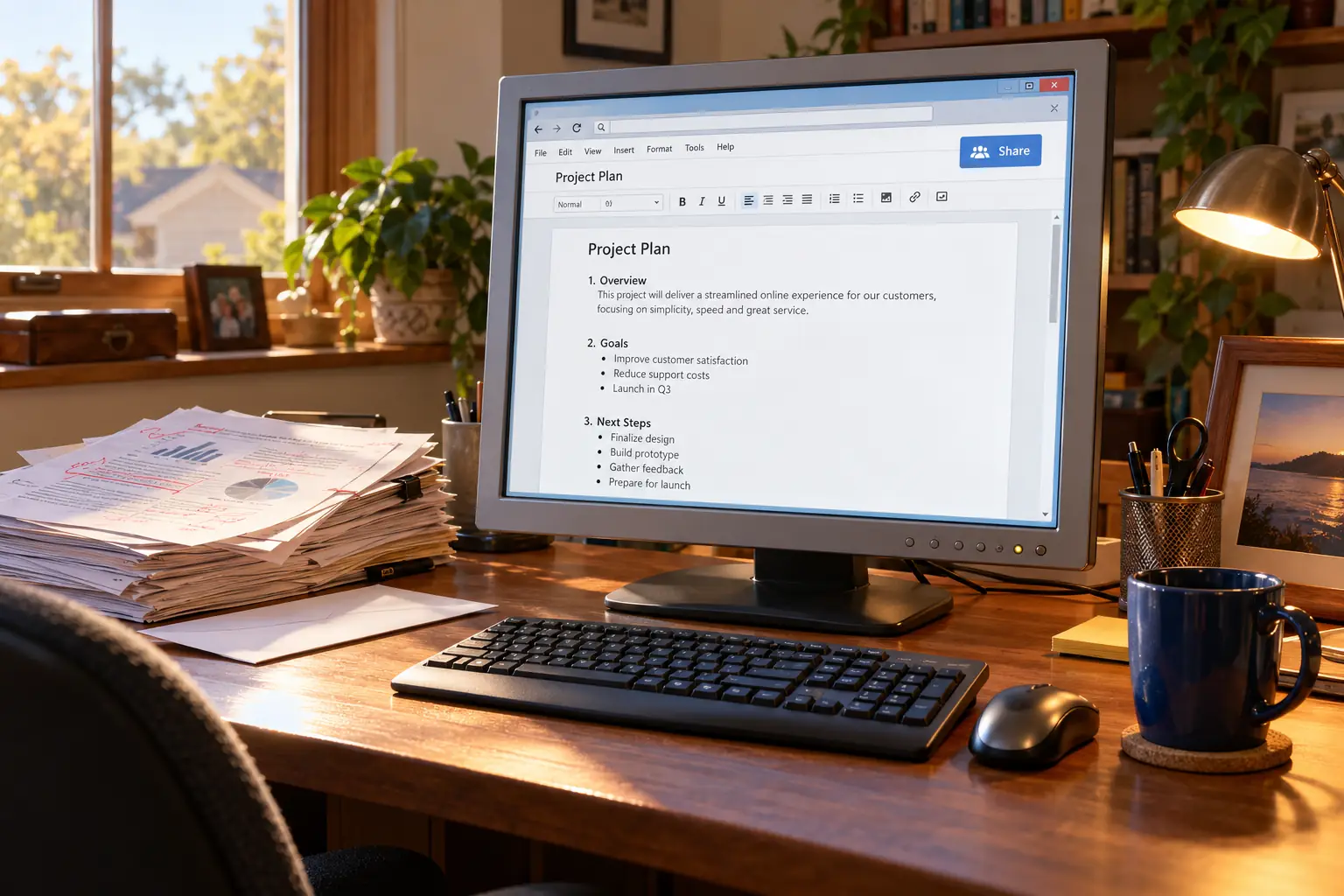
Some of the people asked to use Writely, the program that became Google Docs, wanted the experiment to stop. According to cofounder Claudia Carpenter’s later account, her brother made his graduate students use the new web word processor for class. They disliked it so much that some complained to the dean.
One problem was almost comical: there was no Save button.
For people raised on desktop software, that was not a small thing. You wrote a paragraph, clicked Save, and felt safe. Writely asked users to trust a program that saved for them. Its makers were trying to remove a task that people had spent years learning not to forget.
That missing button tells much of the Google Docs story. The real change was not simply putting a word processor in a browser. It was changing who held the document, who could work on it, and what it meant to have the latest copy.
First, the trouble with attachments
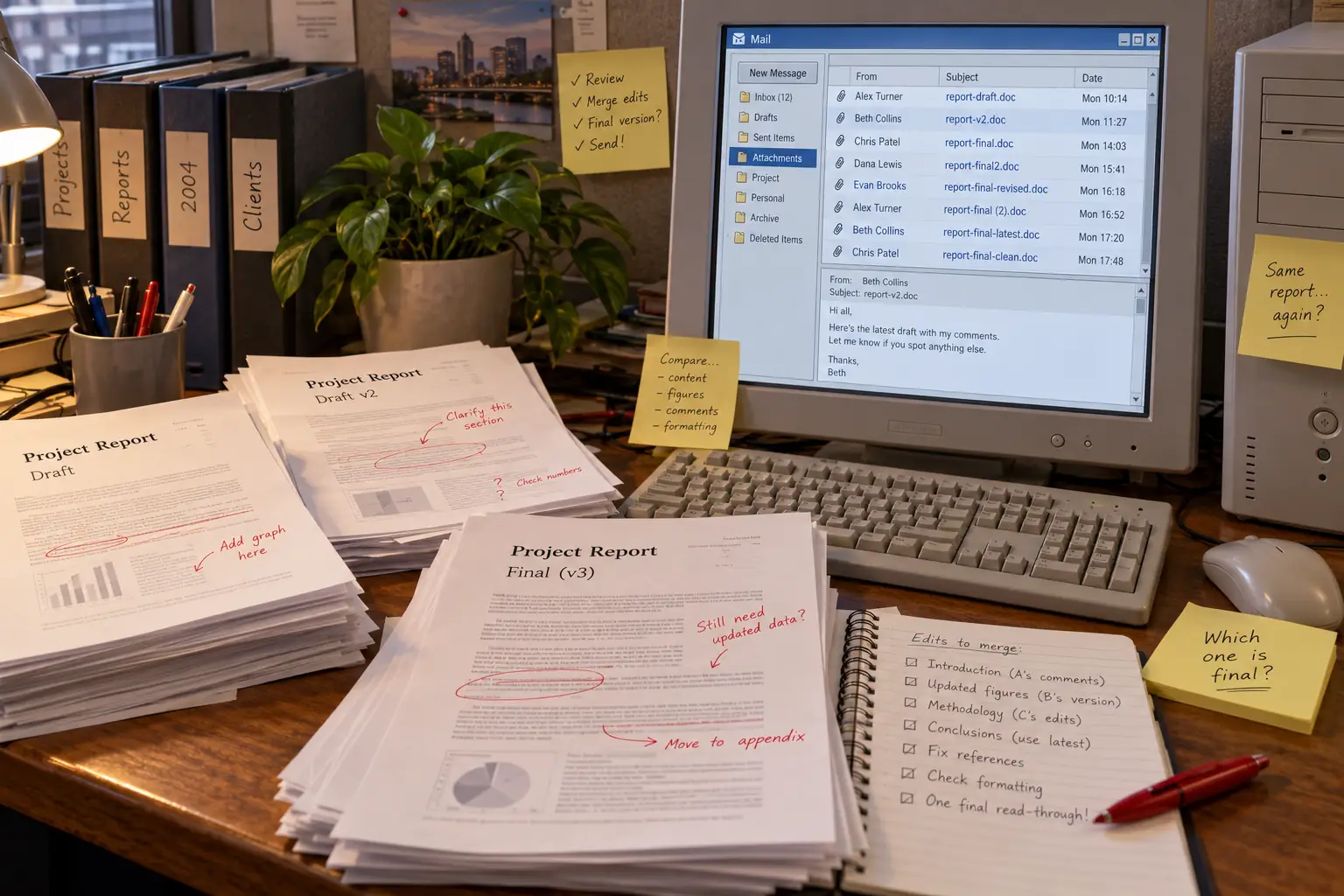
A shared report could once turn into a small office mystery. Someone wrote a draft in Microsoft Word and emailed it to three coworkers. One fixed the numbers. Another rewrote the opening. The third replied two days later, after everyone else had moved on.
Now there were several files. Which one was current? Did the boss have the copy with the corrected price? Should the new file be called report-final.doc, report-final2.doc, or the dangerously hopeful report-FINAL-FINAL.doc?
That example is a common workflow, not a claim about a particular office. The mess came from the way files moved. Each attachment was another copy. The next person often had to merge changes by hand, use a desktop program’s review tools, or send another message to ask who had the right version.
Shared folders and document-management systems already existed. So did tools for writing together online. But for many people, the familiar routine was still write, save, attach, send, wait.
Writely: a word processor with a strange idea
In California, Sam Schillace, Steve Newman, and Claudia Carpenter were building something called Writely through their company Upstartle. Its public beta appeared in August 2005.
You did not need to buy a boxed program or install a large office suite. You opened a website. Writely supplied editing tools in the browser, let people share a document with selected readers or editors, and could move documents to and from Microsoft Word formats. During its beta, the service was free.
Those details are not later myths. A contemporary August 2005 review described its editing tools, permissions, tagging, image support, and Word import and export. The technology underneath was often called Ajax: it let a web page respond to the user’s work without constantly reloading the whole page.
Writely was not the first time anyone had edited words online, and it was not alone in trying. Other web-writing tools appeared in that period, including Zoho Writer, whose makers date its first release to September 2005. The important question is what Writely made easy enough for ordinary people to try.
Someone could start a document on one computer, sign in on another, and invite another person to work on the same stored copy. For students, volunteers, editors, and small teams, that could matter more than a menu packed with formatting commands.
Behind the Scenes: The button that did nothing
In a later interview with the Writely team, Carpenter recalled the complaints from her brother’s graduate students. She said the early product’s lack of a Save button made users uneasy. Writely’s automatic saving was intended to spare them that step.
Carpenter also recalled that the team added a Save button to reassure people even though saving already happened automatically. In her telling, that button did nothing. This is a cofounder’s retrospective account, not a claim independently checked against an old program build.
The lesson was remarkably human: removing a chore does not always remove the need for reassurance. People wanted the software to tell them their work was safe.
The same interview describes the founders trying to keep a fast-growing service running while looking for a way to fund it. That is easy to miss now. A document kept online had to be stored, served, and protected somewhere. A small team could build a clever editor, but serving thousands of people’s files was a bigger promise.
Google did not invent Writely—and Writely was not Google Spreadsheets
On March 9, 2006, Google publicly announced that it had acquired Upstartle, the company behind Writely. Jennifer Mazzon, who had worked with the Writely team, wrote that they had joined Google earlier that week. She also said new Writely registrations were being paused while the service moved to Google’s systems.
In the March announcement, Mazzon put the team’s bet in plain terms: documents could be reached from anywhere, shared quickly, and worked on with other people inside a browser. The product was still in beta and, as she acknowledged, not perfect.
Meanwhile, a different Google team was building online spreadsheets. Its roots included people from 2Web Technologies who had joined Google’s New York office. Product manager Jonathan Rochelle announced a limited test of Google Spreadsheets on June 6, 2006. In an unusually practical detail, he said the team was already using an early build to manage its own work lists and estimates.
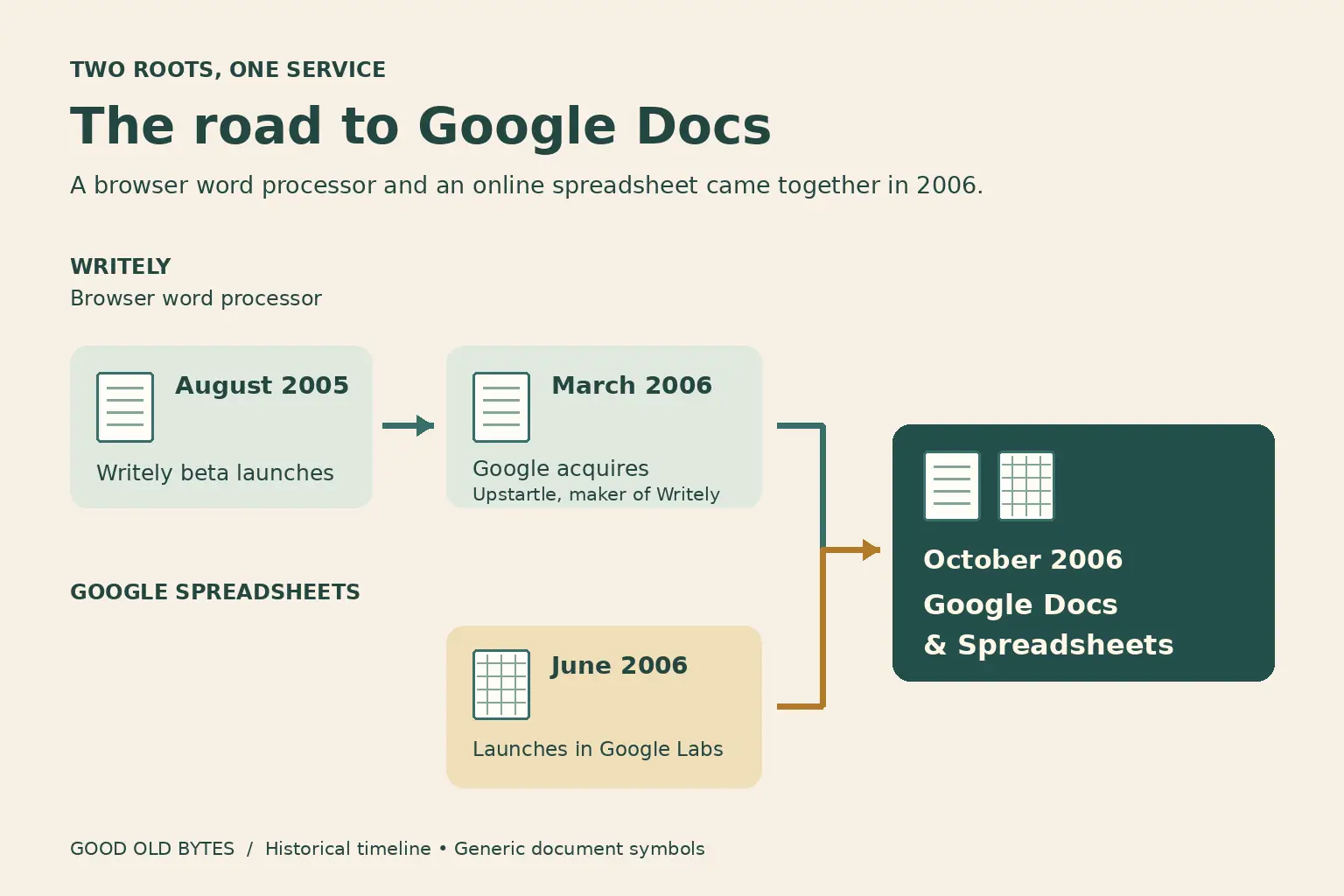
Then, on October 11, 2006, Google launched a combined beta called Google Docs & Spreadsheets. It brought the Writely word processor and Google Spreadsheets into one place to create, upload, store, share, and publish files. The address was docs.google.com.
That sequence matters. August 2005 was Writely’s public beta. March 2006 was Google’s acquisition announcement. June 2006 was the separate spreadsheet test. October 2006 was the launch of Google’s combined service. They were not four names for a single launch.
Google’s October 2006 announcement promised something far more useful than a new icon: one current online version that invited people could edit without circulating attachments. But the Google Docs of 2006 did not yet have all the smooth live-editing features people know today.
Fun Fact: Two cities, two starting points
Writely grew from a California startup. The team behind Google’s early spreadsheets worked from New York. Google Docs & Spreadsheets joined two different efforts, rather than springing fully formed from one project.
The document stopped being a parcel
The biggest shift was simple enough to explain to anyone who had dealt with a group report.
Instead of sending a file, the owner shared access to a document. A colleague could open the current copy in a browser. Someone else could be given permission to read rather than change it. Later editors did not have to ask which email carried the latest version.
Consider a school committee planning an event. One person drafts the letter. A second fixes the meeting place. A third checks the date. With an attachment chain, the committee has to keep passing copies around. With one shared document, everyone works toward the same result.
That did not mean every edit was wise. Nor did shared access mean everyone should have permission to change everything. But it reduced one stubborn source of confusion: the document you are looking at could also be the document the team is working on.
Automatic saving changed another habit. On a desktop, users were trained to protect work with Ctrl+S. Online, the application was meant to keep track of changes. The relief was real, but so was the new fear: what if the connection failed, the account was unavailable, or the wrong person had access?
Putting a file online also changed the idea of owning it. The words still belonged to their authors under the terms that applied, but the working copy depended on an account, permissions, and the service behind them. Moving away from the desktop was a trade, not a magic trick.
2006 sharing was not yet 2010 live editing
Early Google Docs let people share and collaborate. It is easy, though, to remember the polished tools of later years and quietly place them back in 2006. That would give the first release features it had not yet earned.
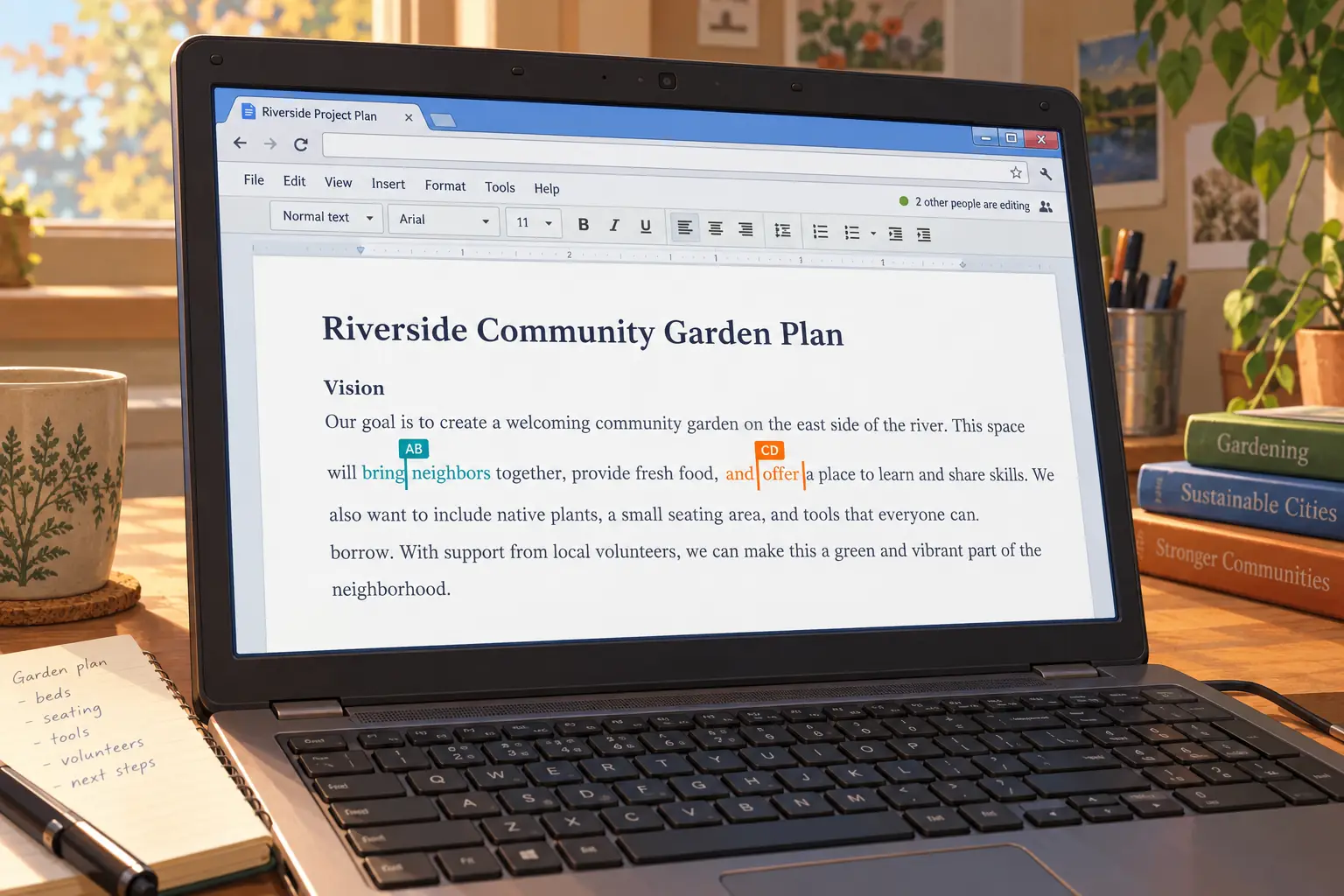
The major jump came on April 12, 2010, when Google previewed a rebuilt Docs editor. The company said people could now see others’ document changes as they happened, character by character, and described support for up to 50 people working together at once. The updated editors began reaching everyone that June.
That is the point at which a familiar modern scene became possible: two names at the top of a document, different cursors, and text appearing while another person typed. A colleague could fix a sentence before you even finished writing the next one.
The 2010 announcement also discussed better document imports, margins, bullets, and image placement. Those less dramatic improvements mattered. A shared editor still needed to make a decent-looking letter.
Then came the conversation around the words. On March 16, 2011, Google introduced improved discussions in Docs, including better replies, timestamps, and email notifications. In September of that year, it added comment-only access, letting a reviewer leave feedback without changing the text itself.
These steps helped separate three very different roles: the person reading a draft, the person suggesting a change, and the person allowed to rewrite the draft. Google expanded the idea in June 2014 with suggested edits that editors could accept or reject.
For a manager checking a proposal, or a teacher reading a paper, that distinction was important. A comment could ask why a figure had changed. A suggestion could propose new words. The document owner could decide what belonged in the finished version.
Revision history also gave writers a way to look backward. The software did not make bad edits impossible, but it made many of them easier to trace and, when appropriate, undo. In 2017, Google added names for chosen versions—useful when a team still wanted to mark a draft as finished without creating yet another attachment.
A wonderful idea with awkward edges
Google Docs did not make desktop word processors useless. Microsoft Word remained a strong choice for advanced page layout, complex formatting, and work that had to stay inside established Office systems. Other web editors, including Zoho Writer, were competing too. Microsoft brought its own Office Web Apps to users in 2010.
The early web editors had limits. Importing a complicated Word file could be frustrating. A slow connection could interrupt work. Printing and precise layout were not always as comfortable as on a mature desktop program. Google kept improving those parts rather than pretending they did not matter.
Connectivity was a particularly real obstacle. In March 2008, Google began offering offline document editing through Google Gears, a browser technology that kept local copies and synchronized changes later. Its initial offline features were limited; not every document type could be edited without a connection.
Then there were the questions people still need to ask: Is the link limited to invited people, or can anyone with it open the file? Who can comment? Who can edit? Is a sensitive document allowed to be stored in this online account? Easy sharing is helpful only when the permissions are right.
The business model changed the field as well. Writely had been a free beta. Google offered a free route for personal users while developing paid tools and administration for organizations. That made shared online writing attractive to people who would not have bought a new office suite just to help edit a club newsletter or group assignment. It also placed the files inside a larger service business.
Legend vs. the Record: Did Google Docs kill Microsoft Word?
The easy version: Browser documents arrived, so desktop Word was finished.
What happened: Google Docs changed expectations about shared work, but Word continued and gained online collaboration of its own. The story is not one editor destroying another. It is a change in how people expected their documents to move—or no longer need to move—between them.
The shared page is still here
Google Docs did not disappear into history. It became part of a broader family of tools, with Google Drive, launched in 2012, giving people a more general home for files. Docs remained the writing editor within that system.
As of October 2026, people can still create and share documents in a browser or mobile app, add comments and suggestions, review older versions, and export files for use elsewhere. Google also offers offline work under supported setups. Its current computer instructions specify Chrome or Edge, the offline extension, and advance setup. Being in the cloud does not mean every browser and every file will work offline by default.
Google has added many features since the early days, including AI-assisted writing tools. Yet the old question remains more interesting than the new menu: how can several people do good work on the same page without losing each other’s changes?
Of course, teams found new ways to make a mess. A shared page can collect too many comments. People can edit the wrong section. And instead of twenty emailed drafts, there may be twenty people watching one badly named document.
Still, one quiet office ritual changed. Before Writely, saving your own file felt like a necessary act of care. Carpenter’s students did not trust software that removed it. Today, many people notice a Save button mainly when they return to older programs.
The first idea was never that words should leave our computers forever. It was that a document might stop being a package we passed from person to person and become a place where we could meet.
Sources and further reading
- When It Clicked: Writely oral-history interview — Claudia Carpenter and other participants recall the missing Save button, early users, and the acquisition. Later memories are attributed, not treated as archival recordings from 2005.
- TechCrunch, August 31, 2005 — a contemporary account of Writely’s early tools and free beta.
- Google, March 9, 2006 — the Writely team’s acquisition announcement and registration pause.
- Google, June 6, 2006 — the separate Google Spreadsheets test and the New York team’s background.
- Google, October 11, 2006 — the combined Docs & Spreadsheets launch.
- Google, April 12, 2010 — the new editors and character-by-character collaboration.
- Google, March 16, 2011 — improved comment discussions.
- Google, September 12, 2011 — comment-only sharing controls.
- Google Workspace Updates, June 25, 2014 — suggested editing permissions.
- Google Workspace, 2017 — named versions and review tools.
- Google Cloud Blog, March 31, 2008 — early offline editing with Google Gears.
- Google Docs Editors Help — present-day comments, suggestions, and version history.